Купить 01 Canva Premium | EDU + Pro Team + Personal Upgrade | Fast Activation
Content: text (0 symbol)
Available: 1
Uploaded:
Positive responses: 0
Negative responses: 0
Sold: 0
Refunds: 0
$2
Product Description
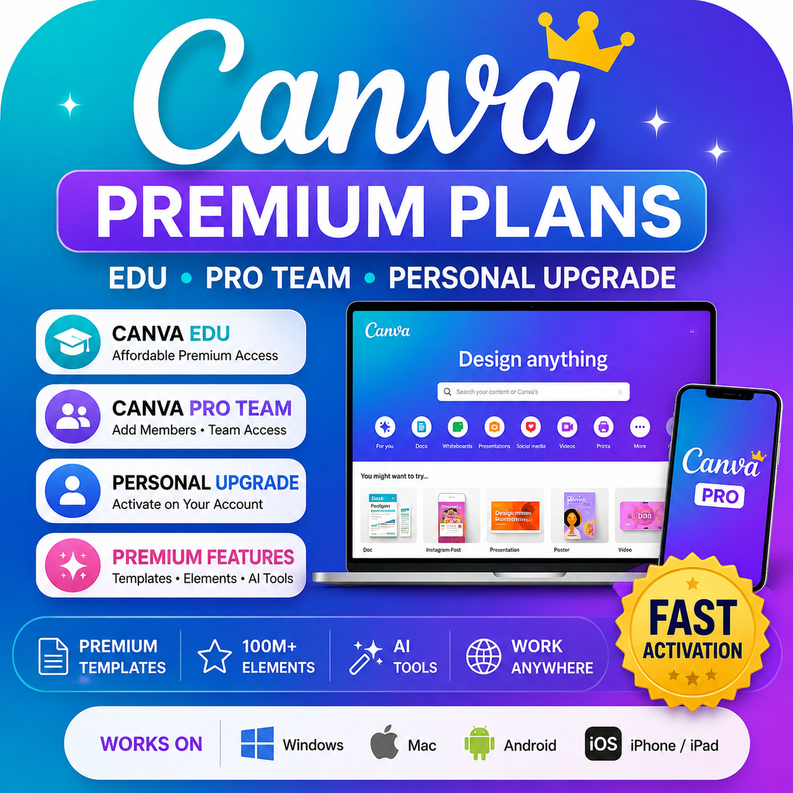
🎨 Canva Premium Plans — Choose the Option That Fits Your Needs
Get access to Canva’s premium design tools through several available plans. Depending on the selected package, you may receive access through a Canva Team invitation or have premium features activated directly on your own personal Canva account.
The activation method, duration, available features, and warranty depend on the plan selected at checkout.
⚡ How the service works
Canva Team / Slot Plans
Provide the email address connected to your Canva account. Your account will be invited to our Canva Team, and you can continue using your existing login.
✅ No need to provide your Canva password
✅ Continue using your personal Canva account
✅ Your projects are not automatically shared with other team members
✅ Suitable for customers who need quick and convenient access
Personal Account Upgrade Plans
For selected plans, premium access is activated directly on your own Canva account.
❗ You may be required to provide the Canva account login details temporarily for the activation process.
❗ Change your password after the activation is completed.
❗ Do not enable or change security settings while the upgrade is being processed.
🚀 Available plan types
🎓 Canva EDU
Available durations may include:
✔ One-year access
✔ Long-term access with a two-year warranty
Canva EDU provides access to many premium features but may not include every Canva Pro function.
Some features may be limited or unavailable, including:
❌ Uploading custom fonts
❌ Certain AI tools
❌ Brand Kit features
❌ Some business or advanced team functions
This option is suitable for customers who mainly need premium templates, elements, images, and standard design tools.
👥 Canva Pro Team Access
✔ Added to a Canva Pro Team using your email address
✔ Available for the selected access period
✔ Access to premium Canva Pro features
✔ Some packages may allow you to invite up to two additional members
✔ No password required for email-invitation packages
Your designs are not automatically visible to other members unless you intentionally share them or save them in a shared team location.
👑 Canva Pro Personal Account Upgrade
✔ Premium access activated on your own Canva account
✔ You remain the main user of the account
✔ Available in one-month trial or one-year packages
✔ Suitable for customers who prefer to work from their existing personal account
For this activation method, account login information may be required temporarily.
🧩 Canva Pro Slot with Fonts and Brand Kit
✔ Access to Canva Pro features
✔ Custom font uploading
✔ Brand Kit access
✔ Premium templates, elements, photos, videos, and design tools
✔ Available as a one-year team slot
Please choose the correct regional package whenever available. Packages marked for a different region may have a higher activation-failure rate.
🎨 Canva Premium Plans — Choose the Option That Fits Your Needs
Get access to Canva’s premium design tools through several available plans. Depending on the selected package, you may receive access through a Canva Team invitation or have premium features activated directly on your own personal Canva account.
The activation method, duration, available features, and warranty depend on the plan selected at checkout.
⚡ How the service works
Canva Team / Slot Plans
Provide the email address connected to your Canva account. Your account will be invited to our Canva Team, and you can continue using your existing login.
✅ No need to provide your Canva password
✅ Continue using your personal Canva account
✅ Your projects are not automatically shared with other team members
✅ Suitable for customers who need quick and convenient access
Personal Account Upgrade Plans
For selected plans, premium access is activated directly on your own Canva account.
❗ You may be required to provide the Canva account login details temporarily for the activation process.
❗ Change your password after the activation is completed.
❗ Do not enable or change security settings while the upgrade is being processed.
🚀 Available plan types
🎓 Canva EDU
Available durations may include:
✔ One-year access
✔ Long-term access with a two-year warranty
Canva EDU provides access to many premium features but may not include every Canva Pro function.
Some features may be limited or unavailable, including:
❌ Uploading custom fonts
❌ Certain AI tools
❌ Brand Kit features
❌ Some business or advanced team functions
This option is suitable for customers who mainly need premium templates, elements, images, and standard design tools.
👥 Canva Pro Team Access
✔ Added to a Canva Pro Team using your email address
✔ Available for the selected access period
✔ Access to premium Canva Pro features
✔ Some packages may allow you to invite up to two additional members
✔ No password required for email-invitation packages
Your designs are not automatically visible to other members unless you intentionally share them or save them in a shared team location.
👑 Canva Pro Personal Account Upgrade
✔ Premium access activated on your own Canva account
✔ You remain the main user of the account
✔ Available in one-month trial or one-year packages
✔ Suitable for customers who prefer to work from their existing personal account
For this activation method, account login information may be required temporarily.
🧩 Canva Pro Slot with Fonts and Brand Kit
✔ Access to Canva Pro features
✔ Custom font uploading
✔ Brand Kit access
✔ Premium templates, elements, photos, videos, and design tools
✔ Available as a one-year team slot
Please choose the correct regional package whenever available. Packages marked for a different region may have a higher activation-failure rate.
✨ Features may include
✅ Premium templates and design elements
✅ Premium stock photos, videos, graphics, and audio
✅ Background remover
✅ Magic Resize and advanced editing tools
✅ Export with transparent backgrounds
✅ Social-media and video-design tools
✅ Custom fonts and Brand Kit on eligible plans
✅ Selected AI tools, depending on the package
✅ Access on supported computers, phones, and tablets
Feature availability depends on the selected Canva plan and may change according to Canva’s platform policies.
🔒 Important information
❗ Carefully check the selected plan before purchasing.
❗ EDU, Team, personal-upgrade, and trial packages do not provide exactly the same features.
❗ Do not leave or delete the assigned team during the access period.
❗ Do not change team-related settings or attempt to transfer ownership.
❗ Do not share or resell the provided access.
❗ Save important designs and files to your personal workspace whenever possible.
❗ Do not store confidential, sensitive, or irreplaceable data in a shared team workspace.
❗ Regional compatibility may affect activation and account access.
⭐ Why choose this service?
🔹 Multiple packages for different needs and budgets
🔹 Use your existing Canva account on supported plans
🔹 Fast activation after receiving the required information
🔹 Options for Canva EDU, Canva Pro Team, and personal-account upgrades
🔹 Suitable for social media, advertising, presentations, education, and business designs
🔹 Support for activation and access-related issues
🛡️ Warranty and support
The warranty period depends on the selected package.
Eligible support may include:
✅ Assistance when an invitation is not received
✅ Assistance with activation-related problems
✅ Replacement or reactivation when the purchased access stops working for a verified service-related reason
✅ Support throughout the applicable warranty period
The warranty does not cover:
❌ Leaving or deleting the assigned team
❌ Changing account, team, or security settings without authorization
❌ Sharing or reselling access
❌ Violations of Canva’s terms or platform policies
❌ Loss of access caused by incorrect customer information
❌ Features that are not included in the selected package
❌ Data or project loss in a shared workspace
❌ Regional incompatibility when purchasing a package marked for another region
🔥 Choose the appropriate Canva package, complete the required activation steps, and start creating with premium design tools.
✅ Premium templates and design elements
✅ Premium stock photos, videos, graphics, and audio
✅ Background remover
✅ Magic Resize and advanced editing tools
✅ Export with transparent backgrounds
✅ Social-media and video-design tools
✅ Custom fonts and Brand Kit on eligible plans
✅ Selected AI tools, depending on the package
✅ Access on supported computers, phones, and tablets
Feature availability depends on the selected Canva plan and may change according to Canva’s platform policies.
🔒 Important information
❗ Carefully check the selected plan before purchasing.
❗ EDU, Team, personal-upgrade, and trial packages do not provide exactly the same features.
❗ Do not leave or delete the assigned team during the access period.
❗ Do not change team-related settings or attempt to transfer ownership.
❗ Do not share or resell the provided access.
❗ Save important designs and files to your personal workspace whenever possible.
❗ Do not store confidential, sensitive, or irreplaceable data in a shared team workspace.
❗ Regional compatibility may affect activation and account access.
⭐ Why choose this service?
🔹 Multiple packages for different needs and budgets
🔹 Use your existing Canva account on supported plans
🔹 Fast activation after receiving the required information
🔹 Options for Canva EDU, Canva Pro Team, and personal-account upgrades
🔹 Suitable for social media, advertising, presentations, education, and business designs
🔹 Support for activation and access-related issues
🛡️ Warranty and support
The warranty period depends on the selected package.
Eligible support may include:
✅ Assistance when an invitation is not received
✅ Assistance with activation-related problems
✅ Replacement or reactivation when the purchased access stops working for a verified service-related reason
✅ Support throughout the applicable warranty period
The warranty does not cover:
❌ Leaving or deleting the assigned team
❌ Changing account, team, or security settings without authorization
❌ Sharing or reselling access
❌ Violations of Canva’s terms or platform policies
❌ Loss of access caused by incorrect customer information
❌ Features that are not included in the selected package
❌ Data or project loss in a shared workspace
❌ Regional incompatibility when purchasing a package marked for another region
🔥 Choose the appropriate Canva package, complete the required activation steps, and start creating with premium design tools.
No feedback yet