Купить Proxy Validator Pro ( ip:port checker )
Content: proxy-checker-pro-codex-create-proxy-validator-desktop-application (1).zip (30.24 KB)
Uploaded: 21.07.2026
Positive responses: 0
Negative responses: 0
Sold: 0
Refunds: 0
$5
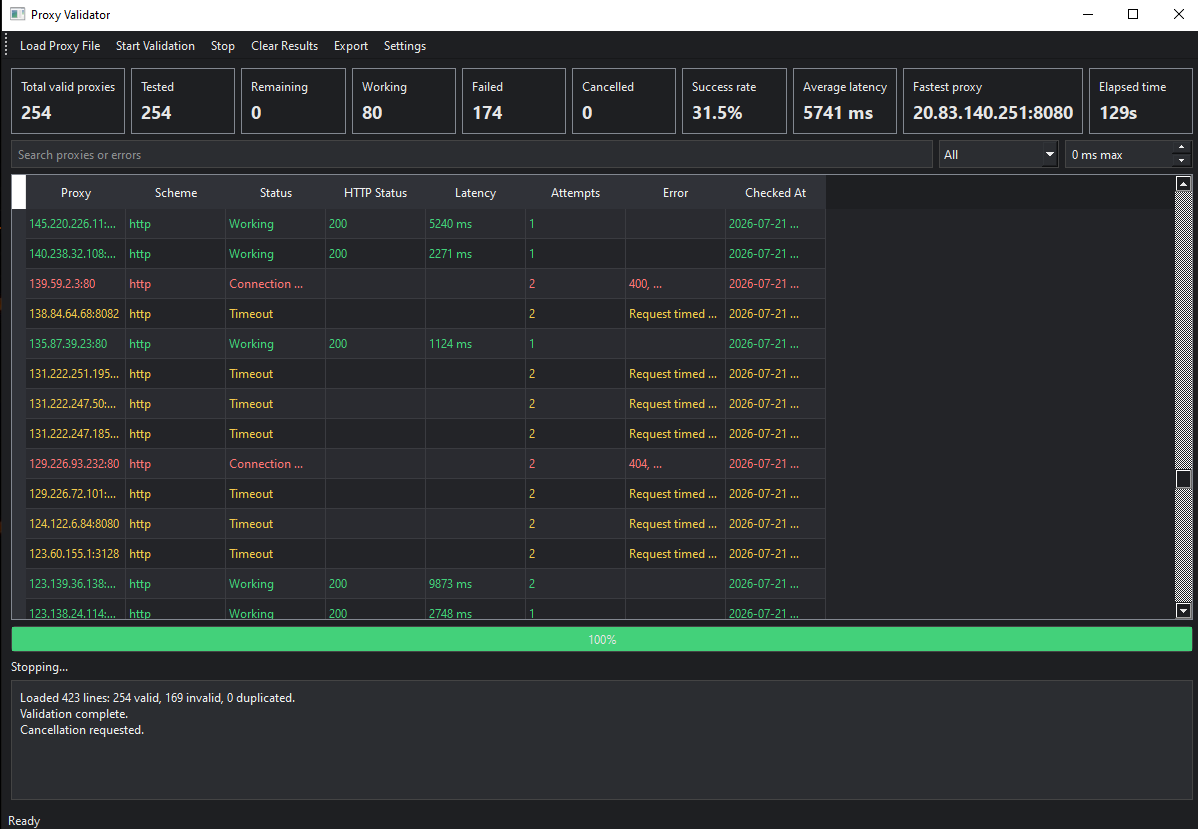
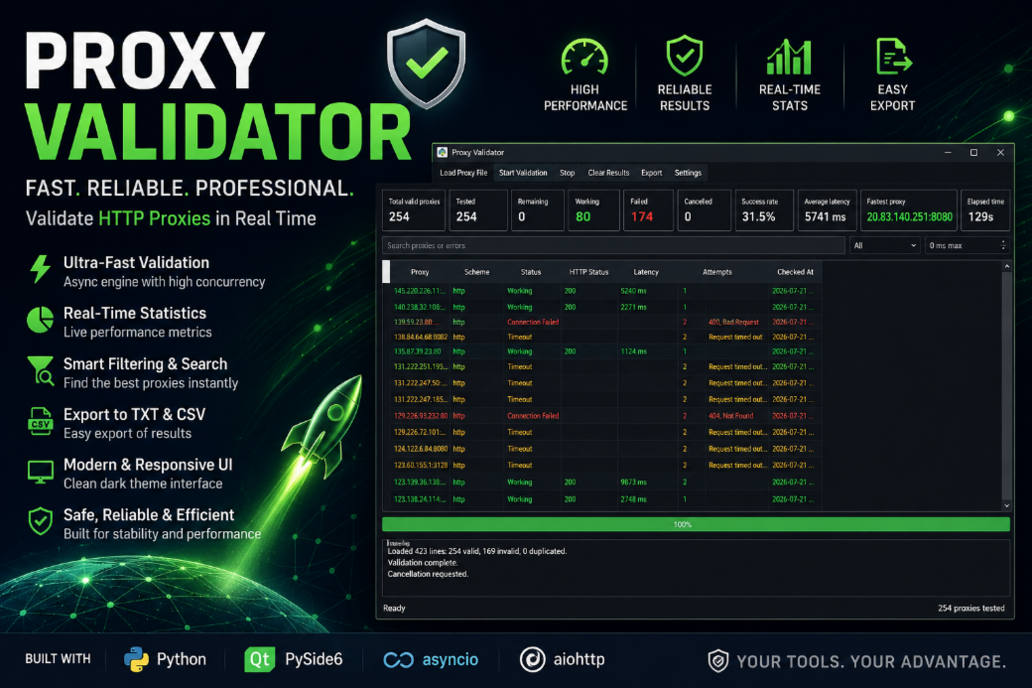
A modern, high-performance desktop application for validating HTTP proxies with a responsive graphical interface.
Built with Python, PySide6, asyncio, and aiohttp, Proxy Validator is designed to efficiently test large proxy lists while keeping the user interface responsive.
Features
Modern desktop interface (PySide6)
Dark theme UI
Fast asynchronous proxy validation
Configurable concurrency
Configurable timeout
Configurable retry count
Real-time validation progress
Live statistics dashboard
Search and filter results
Sort by latency or status
Duplicate proxy removal
Invalid proxy detection
Safe cancellation support
Export working proxies to TXT
Export detailed results to CSV
Persistent application settings
Automatic logging with rotating log files
Responsive interface during validation
Supported Proxy Formats
Currently supported:
IP:PORT
Example:
192.168.1.15:8080
104.248.25.16:3128
Also accepts:
http://IP:PORT
https://IP:PORT
The architecture is designed for future SOCKS4/SOCKS5 support.
Live Statistics
The application displays live information including:
Total Valid Proxies
Tested
Remaining
Working
Failed
Cancelled
Success Rate
Average Latency
Fastest Proxy
Elapsed Time
Export Options
Working proxies can be exported as:
TXT
CSV
CSV contains:
Proxy
Host
Port
Scheme
Status
HTTP Status
Latency
Attempts
Error Category
Error Message
Validation Timestamp
Performance
Asynchronous networking
High-speed concurrent validation
Configurable concurrency (up to 1000)
Memory-efficient task scheduling
Non-blocking GUI
Suitable for large proxy lists
Requirements
Python 3.12+
Windows 10 / Windows 11
Installation
1. Clone the repository
git clone https://github.com/your-repository/proxy-validator.git
cd proxy-validator
2. Create a virtual environment
Windows
python -m venv .venv
.venv\Scripts\activate
Linux / macOS
python3 -m venv .venv
source .venv/bin/activate
3. Install dependencies
pip install -r requirements.txt
4. Run the application
python main.py
Usage
Launch the application.
Click Load Proxy File.
Select a text file containing proxies.
Configure timeout and concurrency if desired.
Click Start Validation.
Review live results.
Export working proxies when validation is complete.
Technologies
Python
PySide6
asyncio
aiohttp
qasync
pytest
Logging
Application logs are automatically written to rotating log files to assist with troubleshooting and debugging.
Future Roadmap
SOCKS4 support
SOCKS5 support
HTTPS verification improvements
Anonymous/Elite proxy detection
Proxy country lookup
Multi-URL validation
Proxy performance scoring
Automatic periodic validation
Import from CSV
Light theme
Multi-language interface
Built with Python, PySide6, asyncio, and aiohttp, Proxy Validator is designed to efficiently test large proxy lists while keeping the user interface responsive.
Features
Modern desktop interface (PySide6)
Dark theme UI
Fast asynchronous proxy validation
Configurable concurrency
Configurable timeout
Configurable retry count
Real-time validation progress
Live statistics dashboard
Search and filter results
Sort by latency or status
Duplicate proxy removal
Invalid proxy detection
Safe cancellation support
Export working proxies to TXT
Export detailed results to CSV
Persistent application settings
Automatic logging with rotating log files
Responsive interface during validation
Supported Proxy Formats
Currently supported:
IP:PORT
Example:
192.168.1.15:8080
104.248.25.16:3128
Also accepts:
http://IP:PORT
https://IP:PORT
The architecture is designed for future SOCKS4/SOCKS5 support.
Live Statistics
The application displays live information including:
Total Valid Proxies
Tested
Remaining
Working
Failed
Cancelled
Success Rate
Average Latency
Fastest Proxy
Elapsed Time
Export Options
Working proxies can be exported as:
TXT
CSV
CSV contains:
Proxy
Host
Port
Scheme
Status
HTTP Status
Latency
Attempts
Error Category
Error Message
Validation Timestamp
Performance
Asynchronous networking
High-speed concurrent validation
Configurable concurrency (up to 1000)
Memory-efficient task scheduling
Non-blocking GUI
Suitable for large proxy lists
Requirements
Python 3.12+
Windows 10 / Windows 11
Installation
1. Clone the repository
git clone https://github.com/your-repository/proxy-validator.git
cd proxy-validator
2. Create a virtual environment
Windows
python -m venv .venv
.venv\Scripts\activate
Linux / macOS
python3 -m venv .venv
source .venv/bin/activate
3. Install dependencies
pip install -r requirements.txt
4. Run the application
python main.py
Usage
Launch the application.
Click Load Proxy File.
Select a text file containing proxies.
Configure timeout and concurrency if desired.
Click Start Validation.
Review live results.
Export working proxies when validation is complete.
Technologies
Python
PySide6
asyncio
aiohttp
qasync
pytest
Logging
Application logs are automatically written to rotating log files to assist with troubleshooting and debugging.
Future Roadmap
SOCKS4 support
SOCKS5 support
HTTPS verification improvements
Anonymous/Elite proxy detection
Proxy country lookup
Multi-URL validation
Proxy performance scoring
Automatic periodic validation
Import from CSV
Light theme
Multi-language interface
No feedback yet