Купить AUTODESK AUTOCAD 2024–2027 | 12 MONTHS | YOUR ACCOUNT
Content: text (0 symbol)
Available: 1
Uploaded:
Positive responses: 0
Negative responses: 0
Sold: 0
Refunds: 0
$2.44
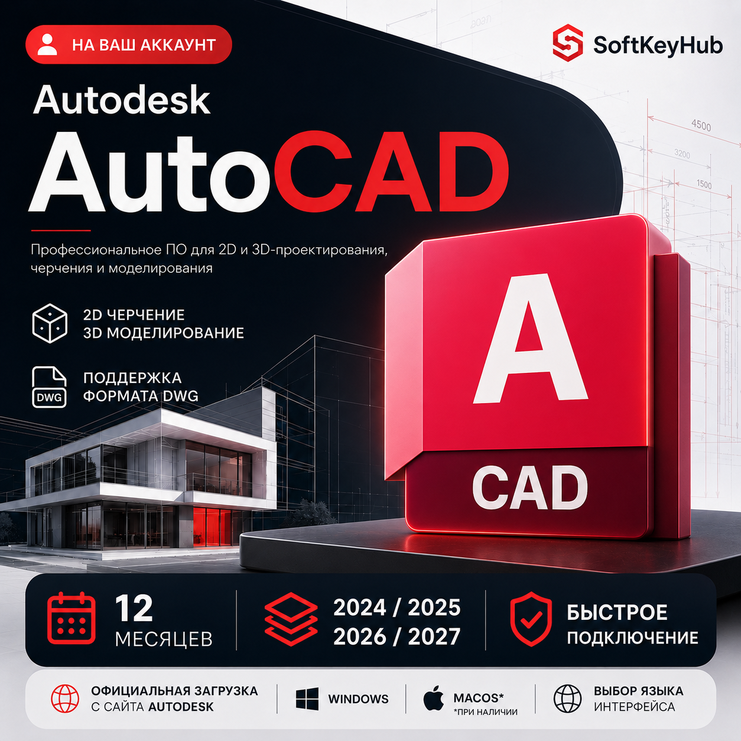
🔥 Autodesk AutoCAD — 12-month educational access
Access is added to your personal Autodesk account.
Before payment, select:
1️⃣ The required AutoCAD version: 2024, 2025, 2026 or 2027.
2️⃣ Whether you need assistance creating an Autodesk account.
⚠️ This is Autodesk educational access intended for learning, software training, academic assignments and personal non-commercial projects.
This access format is not intended for commercial or professional use.
━━━━━━━━━━━━━━━━━━
📐 AutoCAD is suitable for:
✅ Creating drawings and technical documentation
✅ Working with DWG files
✅ 2D drafting and 3D modelling
✅ Educational architecture and engineering projects
✅ Academic, college and university assignments
✅ Learning AutoCAD and CAD workflows
━━━━━━━━━━━━━━━━━━
⚡ What you receive:
✅ Autodesk AutoCAD access for 12 months
✅ Version selection: 2024 / 2025 / 2026 / 2027
✅ Activation on your personal Autodesk account
✅ Official software download through Autodesk
✅ Available interface language selection
✅ Windows support
✅ macOS version when available for the selected release
✅ Assistance with activation and initial setup
✅ Warranty for correct activation
You do not need to provide your password, verification codes or access to your email account.
━━━━━━━━━━━━━━━━━━
🎓 Access format:
Educational access is suitable for:
— learning and software training;
— educational projects;
— academic assignments;
— personal non-commercial practice.
It must not be used for commercial work, paid services or professional customer projects.
━━━━━━━━━━━━━━━━━━
🔑 Activation process:
1️⃣ Select the required AutoCAD version.
2️⃣ Select whether you already have an Autodesk account.
3️⃣ Complete the payment.
4️⃣ System will automatically provide a unique order code.
5️⃣ Send the code to the seller through the order chat.
6️⃣ If you already have an Autodesk account, send the email address linked to it.
7️⃣ After verifying the order, we will send an invitation or add the selected product to your account.
8️⃣ Sign in to your Autodesk account and download AutoCAD through the official Autodesk website.
⚠️ The code is not an AutoCAD activation key. It is used to verify and confirm your paid order.
━━━━━━━━━━━━━━━━━━
🛠 Autodesk account creation assistance — 200 RUB
If you do not have an Autodesk account, select the following option during checkout:
“I need help creating an Autodesk account.”
We will help you:
✅ Complete the registration process
✅ Enter the required basic information
✅ Confirm your email address
✅ Prepare the account for product activation
✅ Find the activated software in your account
⚠️ A KVN is required to create a new Autodesk account.
The buyer must provide and connect the KVN independently. A KVN service and KVN setup are not included in the product price or account assistance fee.
The account will be created using the buyer’s personal email address and will remain under the buyer’s control.
You do not need to provide your email password. Verification codes must be entered by the buyer.
━━━━━━━━━━━━━━━━━━
⏱ Activation time:
Activation is completed manually daily from 10:00 to 22:00 Moscow time.
Orders placed outside support hours will be processed after support opens.
After successful activation, we would appreciate your review ⭐
Access is added to your personal Autodesk account.
Before payment, select:
1️⃣ The required AutoCAD version: 2024, 2025, 2026 or 2027.
2️⃣ Whether you need assistance creating an Autodesk account.
⚠️ This is Autodesk educational access intended for learning, software training, academic assignments and personal non-commercial projects.
This access format is not intended for commercial or professional use.
━━━━━━━━━━━━━━━━━━
📐 AutoCAD is suitable for:
✅ Creating drawings and technical documentation
✅ Working with DWG files
✅ 2D drafting and 3D modelling
✅ Educational architecture and engineering projects
✅ Academic, college and university assignments
✅ Learning AutoCAD and CAD workflows
━━━━━━━━━━━━━━━━━━
⚡ What you receive:
✅ Autodesk AutoCAD access for 12 months
✅ Version selection: 2024 / 2025 / 2026 / 2027
✅ Activation on your personal Autodesk account
✅ Official software download through Autodesk
✅ Available interface language selection
✅ Windows support
✅ macOS version when available for the selected release
✅ Assistance with activation and initial setup
✅ Warranty for correct activation
You do not need to provide your password, verification codes or access to your email account.
━━━━━━━━━━━━━━━━━━
🎓 Access format:
Educational access is suitable for:
— learning and software training;
— educational projects;
— academic assignments;
— personal non-commercial practice.
It must not be used for commercial work, paid services or professional customer projects.
━━━━━━━━━━━━━━━━━━
🔑 Activation process:
1️⃣ Select the required AutoCAD version.
2️⃣ Select whether you already have an Autodesk account.
3️⃣ Complete the payment.
4️⃣ System will automatically provide a unique order code.
5️⃣ Send the code to the seller through the order chat.
6️⃣ If you already have an Autodesk account, send the email address linked to it.
7️⃣ After verifying the order, we will send an invitation or add the selected product to your account.
8️⃣ Sign in to your Autodesk account and download AutoCAD through the official Autodesk website.
⚠️ The code is not an AutoCAD activation key. It is used to verify and confirm your paid order.
━━━━━━━━━━━━━━━━━━
🛠 Autodesk account creation assistance — 200 RUB
If you do not have an Autodesk account, select the following option during checkout:
“I need help creating an Autodesk account.”
We will help you:
✅ Complete the registration process
✅ Enter the required basic information
✅ Confirm your email address
✅ Prepare the account for product activation
✅ Find the activated software in your account
⚠️ A KVN is required to create a new Autodesk account.
The buyer must provide and connect the KVN independently. A KVN service and KVN setup are not included in the product price or account assistance fee.
The account will be created using the buyer’s personal email address and will remain under the buyer’s control.
You do not need to provide your email password. Verification codes must be entered by the buyer.
━━━━━━━━━━━━━━━━━━
⏱ Activation time:
Activation is completed manually daily from 10:00 to 22:00 Moscow time.
Orders placed outside support hours will be processed after support opens.
After successful activation, we would appreciate your review ⭐
📩 Autodesk account requirements:
— use a personal Autodesk account;
— carefully check the provided email address;
— the account must not be blocked or restricted by Autodesk;
— do not change the account email or other details during activation;
— do not place multiple orders for the same account without contacting us first;
— your password and access to your email account are not required.
If you do not have an Autodesk account, account creation assistance is available for an additional 200 RUB.
━━━━━━━━━━━━━━━━━━
🌐 Creating a new account and using a KVN:
A working KVN is required to register a new Autodesk account.
Before starting the registration:
1️⃣ Connect to a KVN.
2️⃣ Select a region where Autodesk services are available.
3️⃣ Open the Autodesk website after connecting to the KVN.
4️⃣ Do not change the KVN country or server until registration is complete.
The buyer must provide and connect the KVN independently.
A KVN subscription, KVN service and technical KVN setup are not included in the product price or account assistance fee.
━━━━━━━━━━━━━━━━━━
⚠️ Important:
— check the system requirements of the selected version before purchasing;
— AutoCAD is available for Windows;
— macOS availability depends on the selected release;
— download the software only through the official Autodesk website;
— do not use torrents, cracks, activators or modified installers;
— do not share your account with other users;
— educational access must not be used for commercial work;
— Autodesk may apply its own requirements and restrictions;
— the availability of individual versions, languages and features depends on Autodesk.
If the product does not appear in your account, take a screenshot of the available products section and contact the seller through the order chat.
━━━━━━━━━━━━━━━━━━
🛡 Warranty:
The warranty covers correct activation of the selected product on the provided Autodesk account.
If AutoCAD does not appear in your account, send the following information through the order chat:
— your unique code;
— your Autodesk account email;
— the selected AutoCAD version;
— a screenshot of the available products section;
— a description of the issue.
After verification, we will help complete the activation or reconnect the product if the issue is confirmed.
The warranty does not cover:
— an incorrect email address provided by the buyer;
— account sharing;
— removal or modification of access by the user;
— changes made to the account during activation;
— account restrictions caused by violations of Autodesk rules;
— commercial use of educational access;
— computer incompatibility with the selected software version.
━━━━━━━━━━━━━━━━━━
🔁 Refund policy:
After AutoCAD has been successfully added to the provided Autodesk account, the digital product is considered delivered.
If an issue occurs before successful activation, contact the seller through the order chat.
The additional account creation assistance service is considered completed after the registration process has been completed or the required instructions and assistance have been provided.
━━━━━━━━━━━━━━━━━━
💬 Support:
Support is available daily from 10:00 to 22:00 Moscow time.
For questions about activation, account registration, KVN use, software download or initial setup, contact us through the order chat.
— use a personal Autodesk account;
— carefully check the provided email address;
— the account must not be blocked or restricted by Autodesk;
— do not change the account email or other details during activation;
— do not place multiple orders for the same account without contacting us first;
— your password and access to your email account are not required.
If you do not have an Autodesk account, account creation assistance is available for an additional 200 RUB.
━━━━━━━━━━━━━━━━━━
🌐 Creating a new account and using a KVN:
A working KVN is required to register a new Autodesk account.
Before starting the registration:
1️⃣ Connect to a KVN.
2️⃣ Select a region where Autodesk services are available.
3️⃣ Open the Autodesk website after connecting to the KVN.
4️⃣ Do not change the KVN country or server until registration is complete.
The buyer must provide and connect the KVN independently.
A KVN subscription, KVN service and technical KVN setup are not included in the product price or account assistance fee.
━━━━━━━━━━━━━━━━━━
⚠️ Important:
— check the system requirements of the selected version before purchasing;
— AutoCAD is available for Windows;
— macOS availability depends on the selected release;
— download the software only through the official Autodesk website;
— do not use torrents, cracks, activators or modified installers;
— do not share your account with other users;
— educational access must not be used for commercial work;
— Autodesk may apply its own requirements and restrictions;
— the availability of individual versions, languages and features depends on Autodesk.
If the product does not appear in your account, take a screenshot of the available products section and contact the seller through the order chat.
━━━━━━━━━━━━━━━━━━
🛡 Warranty:
The warranty covers correct activation of the selected product on the provided Autodesk account.
If AutoCAD does not appear in your account, send the following information through the order chat:
— your unique code;
— your Autodesk account email;
— the selected AutoCAD version;
— a screenshot of the available products section;
— a description of the issue.
After verification, we will help complete the activation or reconnect the product if the issue is confirmed.
The warranty does not cover:
— an incorrect email address provided by the buyer;
— account sharing;
— removal or modification of access by the user;
— changes made to the account during activation;
— account restrictions caused by violations of Autodesk rules;
— commercial use of educational access;
— computer incompatibility with the selected software version.
━━━━━━━━━━━━━━━━━━
🔁 Refund policy:
After AutoCAD has been successfully added to the provided Autodesk account, the digital product is considered delivered.
If an issue occurs before successful activation, contact the seller through the order chat.
The additional account creation assistance service is considered completed after the registration process has been completed or the required instructions and assistance have been provided.
━━━━━━━━━━━━━━━━━━
💬 Support:
Support is available daily from 10:00 to 22:00 Moscow time.
For questions about activation, account registration, KVN use, software download or initial setup, contact us through the order chat.
No feedback yet