Купить Dead Space (2008) STEAM RU KZ UA BY TR AR CIS Auto delivery
Content: text (16 symbols)
Available: 1
Uploaded: 08.08.2024
Positive responses: 8
Negative responses: 0
Sold: 37
Refunds: 0
Seller: mmopix
information about the seller and its items
Loyalty discount! If the total amount of your purchases from the seller more than:
| $100 | the discount is | 1% |
| $250 | the discount is | 2% |
| $500 | the discount is | 3% |
| $1000 | the discount is | 5% |
$24.84
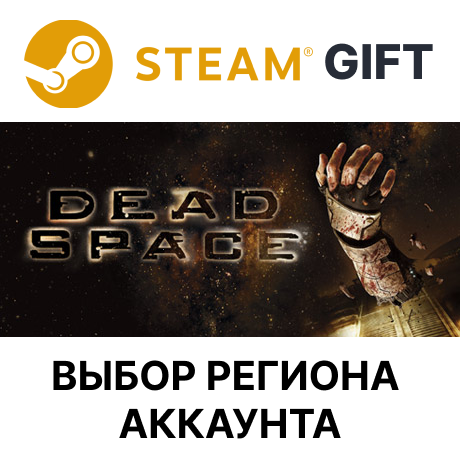
This product is sent as a gift on Steam. The instructions for what you received are below.
This product is delivered to the following regions: Russia, Kazakhstan, Ukraine, Belarus, Azerbaijan, Georgia, Kyrgystan, Moldova, Tajikistan, Turkmenistan, Uzbekistan, Argentina and Turkey. Please note: the region of your Steam account must match the selected region!
You can check your account region at this link: https://store.steampowered.com/account/ (the "Country" field). Or, go to the "Account Information" section of your Steam account (the "Country" field).
This product is delivered to the following regions: Russia, Kazakhstan, Ukraine, Belarus, Azerbaijan, Georgia, Kyrgystan, Moldova, Tajikistan, Turkmenistan, Uzbekistan, Argentina and Turkey. Please note: the region of your Steam account must match the selected region!
You can check your account region at this link: https://store.steampowered.com/account/ (the "Country" field). Or, go to the "Account Information" section of your Steam account (the "Country" field).
⌛ HOW LONG WILL IT TAKE TO RECEIVE MY ITEM?
The item is sent as a gift on Steam within 1-2 minutes, 24 hours a day (except in unforeseen circumstances).
🚀 HOW TO RECEIVE YOUR ITEM?
1. Pay for your order.
2. You will then be taken to the item pickup page. On the pickup page, paste the Steam quick friend link or your Steam profile link and click "Send."
3. The bot will add you as a friend and send the gift.
If the delivery page doesn´t open, go to the order page via oplata.info or the email sent to you when placing your order, and contact us in the chat.
The item is sent as a gift on Steam within 1-2 minutes, 24 hours a day (except in unforeseen circumstances).
🚀 HOW TO RECEIVE YOUR ITEM?
1. Pay for your order.
2. You will then be taken to the item pickup page. On the pickup page, paste the Steam quick friend link or your Steam profile link and click "Send."
3. The bot will add you as a friend and send the gift.
If the delivery page doesn´t open, go to the order page via oplata.info or the email sent to you when placing your order, and contact us in the chat.
Receive your item within 3 days. If the item is not received within this time and you haven´t contacted us in the order chat, a refund or reshipment will be made at the seller´s discretion.
Return Policy:
1. Seller´s fault (item not delivered) - refund.
2. Buyer´s fault - commission up to 25%.
3. Activated items can no longer be returned.
Warranty - at the time of activation. Operator hours: 10:00–00:00 Moscow time.
Return Policy:
1. Seller´s fault (item not delivered) - refund.
2. Buyer´s fault - commission up to 25%.
3. Activated items can no longer be returned.
Warranty - at the time of activation. Operator hours: 10:00–00:00 Moscow time.
Where to get a Steam link
Either of these two options will work:
• Profile link
• Quick friend invite link
The link must be from the account where the gift is to be sent.
---
Profile link
In a browser:
1. Log in to https://steamcommunity.com
2. Hover over your username at the top → "Profile"
3. Copy the address from the browser bar
In the Steam app:
1. Hover over your username at the top → "Profile"
2. Right-click on the page → "Copy page URL"
Examples:
https://steamcommunity.com/profiles/76561198XXXXXXXXX
https://steamcommunity.com/id/your_user
---
Quick invite link
1. Steam (app or steamcommunity.com).
2. Select your nickname at the top → "Friends" → "Add as Friend."
3. In the Quick Invite section, click "Copy."
Examples:
https://s.team/p/xxxx-xxxx
https://steamcommunity.com/user/...
If the link has expired, create a new one on the same page.
---
Important
• The account region must match the region selected during purchase: https://store.steampowered.com/account/
• The profile must not be completely hidden, otherwise the bot may not be able to find the account.
Either of these two options will work:
• Profile link
• Quick friend invite link
The link must be from the account where the gift is to be sent.
---
Profile link
In a browser:
1. Log in to https://steamcommunity.com
2. Hover over your username at the top → "Profile"
3. Copy the address from the browser bar
In the Steam app:
1. Hover over your username at the top → "Profile"
2. Right-click on the page → "Copy page URL"
Examples:
https://steamcommunity.com/profiles/76561198XXXXXXXXX
https://steamcommunity.com/id/your_user
---
Quick invite link
1. Steam (app or steamcommunity.com).
2. Select your nickname at the top → "Friends" → "Add as Friend."
3. In the Quick Invite section, click "Copy."
Examples:
https://s.team/p/xxxx-xxxx
https://steamcommunity.com/user/...
If the link has expired, create a new one on the same page.
---
Important
• The account region must match the region selected during purchase: https://store.steampowered.com/account/
• The profile must not be completely hidden, otherwise the bot may not be able to find the account.
10.09.2023 22:26:29
Получил игру ботом в автоматическом режиме сразу после оплаты. Все ОК, рекомендую!
20.08.2023 18:27:24
Все ровно и быстро
17.03.2023 15:11:48
Все отлично! Быстро получил гифт!!
30.12.2022 17:09:30
Спасибо за гифт
10.12.2022 21:02:45
Получил гифт сразу после оплаты! Отличный продавец!
08.12.2022 2:59:06
Спасибо, подарок пришел сразу. Рекомендую продавца
22.11.2022 11:09:26
Все пришло.
12.08.2022 12:38:39
Всё отлично, товар доставлен быстро.